Show homeowners your work nearby.
Show homeowners the work you’ve done near them. See where your business appears on Google Maps and which neighborhoods could use more examples from your crew.

Rooftop unit inspection
A closer look at the work
Explore sample jobs around Orlando. Choose a pin to see what the crew worked on in that area.
 Carpentry
Hand-planing a wood board
 Exterior service
Checking an exterior vent
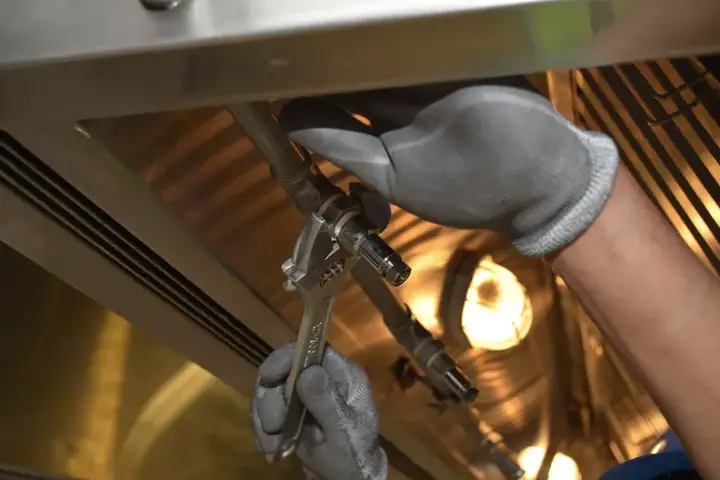 Plumbing
A closer look at a pipe fitting
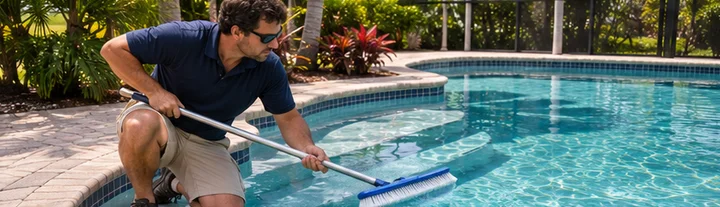 Pool service
Brushing the pool steps
 Garage doors
Checking a garage door track
 Landscaping
Trimming a front hedge
 Painting
Rolling a fresh coat of paint
 Electrical
Fitting a switch plate
 Irrigation
Checking a sprinkler spray pattern
Show your work. See where you rank.
A service check-in starts with one visit. Your technician records the work once. Your office can use that visit to show the next homeowner what your crew does.
Read the publishing guideBring in the job details
Connect a supported field service app and turn on scheduled imports, or upload a photo by hand. Start with the service, the city and a note from the technician about what happened.
Check what the homeowner will see
With AI photo checks on, Field Showcase screens the image and drafts a caption. If a photo shows a house number or the wording needs a second look, your team can fix it before it goes online. Confirm the details and permission to share.
Put the job where it helps someone choose
Set your Orlando plumbing page to show plumbing jobs from Orlando. Once you install the gallery, newly published jobs that match those settings appear there. Your office can add the next repair without editing the page again.
Check your place on Google Maps
In Local search, choose a business location and a phrase like “water heater repair.” A scan checks that phrase from 9 or 25 nearby spots. Compare the results with your job map. Where you’ve done good work but show up farther down the list, add a recent project to that service page and check again.
Orlando, FL
Google Maps rankings Water heater repair
Where do you keep your job photos?
Use photos from your field service app, or upload a few by hand to get started.
See which apps work







Why recent jobs matter for local SEO
Say a homeowner finds your plumbing company on Google and lands on your water heater page. They want to know, “Has this crew fixed a leak like mine?” Show a photo of a tank you replaced in Orlando. Add a line about where it leaked and how you fixed it. Now the homeowner can see why they might call you.
On WordPress, the gallery adds the service, city and caption to the page itself. Homeowners and search engines can read those details alongside your service description. As your crew finishes more jobs, the page gains examples you could only get from doing the work.
How to read a local search heat mapCommon questions
What will homeowners see on my website?
They’ll see a gallery of jobs your crew has done. Each card has a work photo, the service, the city and a short caption. For a plumbing job, that might be a photo of a new shutoff valve with a note about where your crew installed it.
How does the job map work?
Homeowners can choose a pin to see a photo and read about work in that area. Pins show a general location so visitors can tell your crew works nearby while the customer’s street address stays private. You can also show the gallery on its own.
Can I match the gallery to my website?
Yes. Add your business name and logo, then pick your colors and card size. Show one to four cards per row on a computer. On a phone, choose a stack people can scroll down or a row they can swipe through.
Will every photo my crew takes go online?
Photos from a connected app go to a private review queue. Your team checks the photo, caption and permission to share. A blurry photo, visible house number or caption that needs work can stay there until someone fixes it.
Can each city or service page have its own gallery?
Yes. Choose a city, a service or both when you add the gallery to a page. For example, your Orlando plumbing page can show approved plumbing jobs in Orlando, while your main gallery can show work from several towns.
How do I get the gallery onto my site?
On WordPress, install the plugin and paste the shortcode where you want the gallery. For another website, use the embed code from your dashboard. Once it’s in place, new approved jobs can appear there without adding each photo by hand.
Does the job map show my Google Maps ranking?
Your public job map shows where crews worked. In the dashboard, Local search shows how high your business appeared in Google Maps results for a phrase at each spot checked. Live scans require search credits and an active data connection.